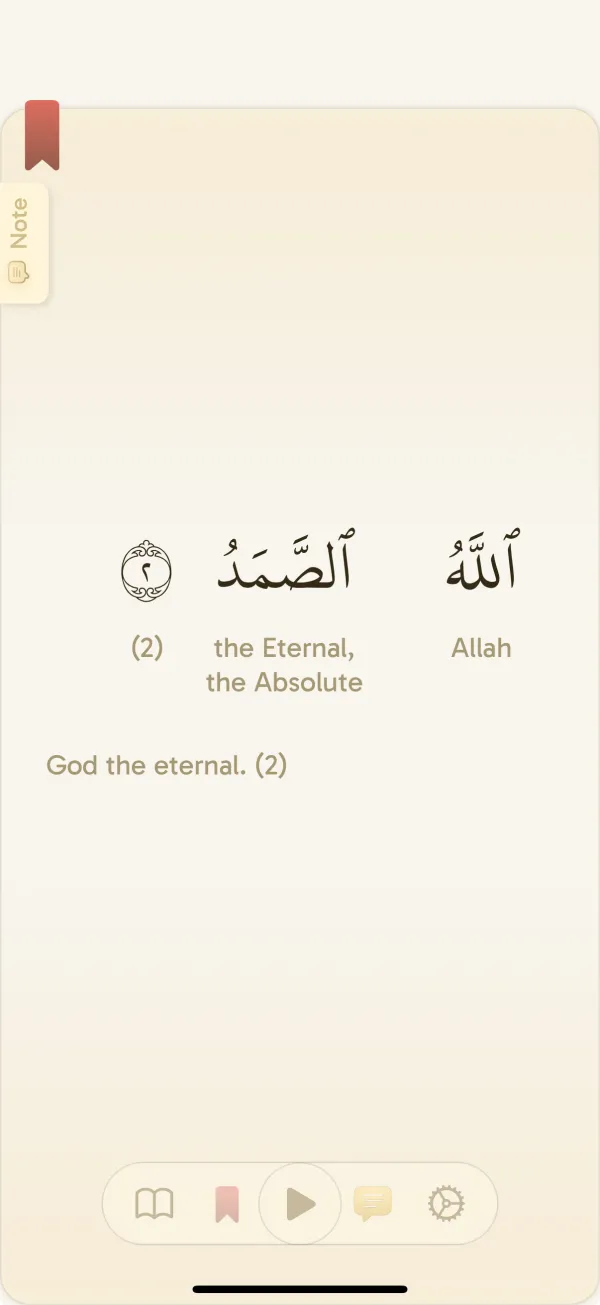
Choose a reader that feels comfortable
Use Page view for the shape of a Mushaf page, Verse by verse for one ayah at a time, or List view for continuous scrolling. Keep your preferred Arabic script, translation, and text settings ready so the next session begins with reading.
- Uthmani and IndoPak reading options, with Tajweed coloring.
- Verse translations, word-by-word meanings, and transliteration options.
- Word audio and reciter playback to follow along with the Arabic.
- Reader settings for your text size, translation display, and light or dark appearance.
Find your translation and recitation
Choose from 140 downloadable translation options for full verses and word-by-word meanings. Find the source you prefer, select it in the reader, and download it for offline use.
Choose from 40 recitation options and download the surahs you want to hear offline. Word audio is also available from the reader when you want to connect an Arabic word with its sound.
The translation catalog is separate from the app’s menus and vocabulary quizzes. The interface supports eight languages; quiz meanings currently use English.
Open a two-page Mushaf spread on iPad
On iPad, Page view can show two Mushaf pages side by side in landscape, using the extra space for a familiar spread. The window needs enough width; a narrower window can return to a single page.
Use the same reading place and preferred settings when you return to a shorter session. Reader layout is a comfort choice, so use a single page or another view whenever it suits you better.
Begin with a small reading goal
Choose your daily reading duration, return to your place, and follow your progress over time. The goal is a clear next step when you open the app. Your session can be short on a busy day and longer when you have time.
Yawm records reading sessions and streaks, with reminders and widgets to make the next session easier to remember. On supported iPhone and iPad devices, optional Screen Time app blocking lets you put your base reading streak before selected distracting apps.
Make learning a short game after reading
Tap a word for its meaning, audio, and other word details. After reading, try vocabulary practice connected to that session: match words, choose a meaning, or listen and recognize the Arabic. Spaced repetition brings words back for review so practice can continue across short sessions.
Vocabulary quizzes currently use English meanings and need an internet connection. They are optional: a reading-only session still counts toward your habit.
Prepare for offline reading and listening
In Settings → Downloads, install the translations and reciter audio you want to use without a connection. Audio is downloaded by reciter and surah. Open your preferred passage and run an airplane-mode check before travel.
Get Yawm on your device
Use the official App Store or Google Play listing below to check current device requirements and install the app. Yawm’s current offering is free and ad-free. For help choosing a setup or reporting a problem, contact info@dawm.app.
Common questions
Is Yawm available on Android and iPhone?
Yes. Yawm is available through Google Play for Android and the App Store for iPhone and iPad. Check the store listing for your device’s current compatibility.
Which languages does the app interface support?
The interface supports English, French, Indonesian, Hindi, Malay, Bengali, Turkish, and German. Reader translation choices are separate, and vocabulary quiz meanings currently use English.
Can Yawm show two Quran pages on iPad?
Yes. In Page view, an iPad landscape window with enough width can show two Mushaf pages side by side. A narrow window may show one page instead.
Does Yawm include word-by-word Quran meaning?
Yes. You can show word-by-word meanings in the reader and use word-level help while reading. Full verse translations and word meanings are separate tools for following a passage.