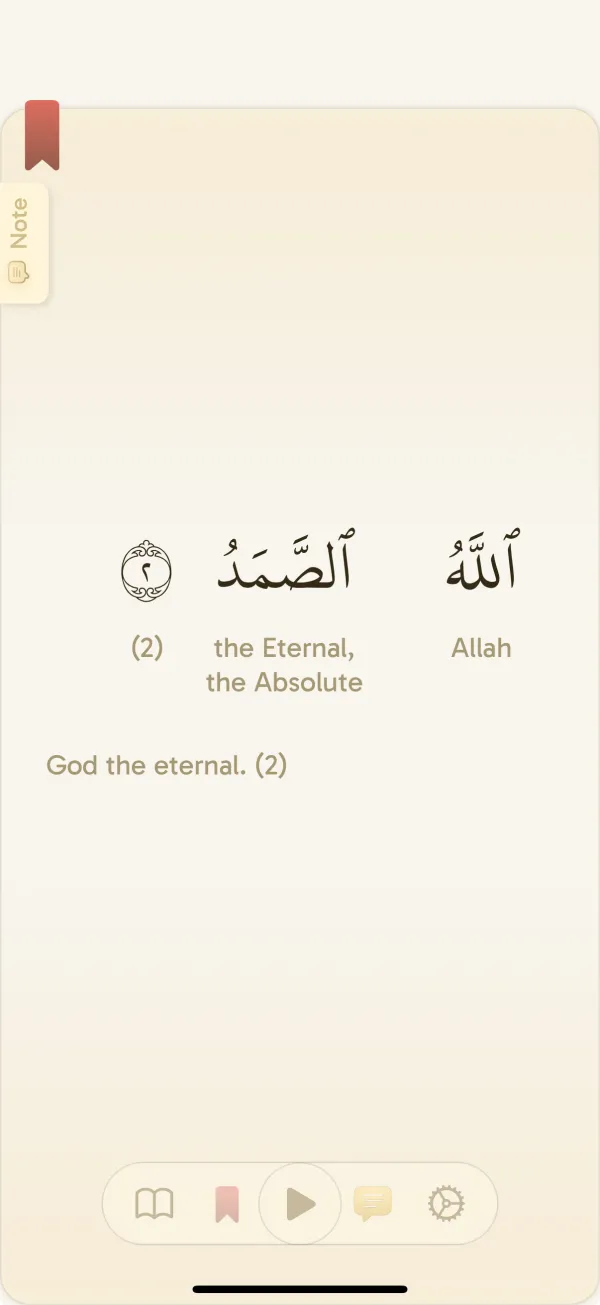
Choose an Ayah widget or a streak widget
The Ayah widget gives you a passage to notice when you pick up your device. The streak widget keeps your reading activity in view. They serve different purposes, so choose the one that answers your actual problem: remembering the Quran, or remembering the reading routine you planned.
You do not need to fill your Home Screen with both. If you often dismiss reminders, a widget can provide a quieter cue. If your device stays out of sight during your reading time, a scheduled reminder may suit that moment better.
Swipe or scroll to compare.
| Device | Where to start |
|---|---|
| iPhone | Home Screen; supported Lock Screen widget layouts |
| iPad | Home Screen; supported Lock Screen widget layouts |
| Android | Home Screen widgets; other surfaces depend on the device and launcher |
Add a Yawm widget to an iPhone Home Screen
Apple changes labels between OS versions. If your menu looks different, use the current Apple instructions linked here. The available Yawm layouts are shown in your device’s picker; the small Lock Screen designs and larger Home Screen designs need not be identical.
- Install Yawm and open it to complete setup. For a streak widget, choose your daily reading goal too.
- Touch and hold an empty Home Screen area, open Edit, then choose Add Widget.
- Find Yawm in the widget picker. Choose the available Ayah or streak layout and size you want.
- Add it, place it where it is easy to see, and finish editing the Home Screen.
Use the Lock Screen when it suits your device
On a supported iPhone, hold the Lock Screen, choose Customize, open the widget area, and select an available Yawm layout. Make room by removing another widget if necessary. Use the current system instructions for your OS.
On iPad, use the widget controls available for your installed iPadOS version. Do not assume every layout fits every screen surface. Keep the view that is readable at a glance rather than squeezing in more information.
Add Yawm to your Android Home Screen
Android launchers can use different menus. If a widget offers resizing handles, adjust it within the supported sizes. Our general Android recommendation is the Home Screen: Lock Screen support varies by device and widget host.
- Install and open Yawm, complete setup, and select a reading goal if you want to follow your streak.
- Touch and hold an empty Home Screen space and open Widgets.
- Find Yawm and expand its available widgets. Select the Ayah or streak layout you want.
- Place the widget on your Home Screen and leave enough space for its contents.
Give the widget a next action
Decide what you will do when you notice it. For example: after breakfast, open Yawm from the Home Screen, continue from your reading place, and read toward your small daily goal. The widget is the prompt; the saved place removes the next decision.
An Ayah shown at a glance is an invitation to open the passage and its translation, not a substitute for the session you planned. With more time and a connection, add a vocabulary activity after reading. With less time, keep the session focused on reading.
Place the widget on a screen you actually visit. A layout hidden several swipes away may look attractive but never remind you. Try the same position for a few days before rearranging everything.
If the widget is missing or shows older information
A widget and the live app are different surfaces. Repeatedly reading extra minutes will not diagnose a refresh delay. Check your session in Yawm first; keep the relevant screenshots and avoid clearing app data as your first step.
- Yawm is missing from the picker: confirm it is installed, open it once after setup or an update, then check the picker again.
- No room for the layout: free enough space or choose another available size.
- A streak looks out of date: open Yawm and compare its reading history with the widget. Record the session in the app before judging the widget.
- An update is delayed: widgets refresh under OS rules. Battery restrictions or launcher behavior can affect Android updates; an instant refresh is not guaranteed.
- The problem persists: note the device, OS, widget type and size, Yawm version, and whether the in-app status is correct before contacting support.
Common questions
Does Yawm have Quran widgets on Android?
Yes. Yawm has Ayah of the Day and streak widgets for Android Home Screens. Layout and refresh behavior depend on your device and launcher.
Can I put Yawm on my iPhone Lock Screen?
Yawm provides supported Lock Screen widget layouts on Apple devices. Check the available options in your device’s widget picker; they differ from the larger Home Screen layouts.
Why does the widget not update immediately after reading?
Widgets refresh under device system rules. Check that Yawm itself has recorded the session, allow time for refresh, and contact support if the in-app and widget states remain inconsistent.